
TwoDogDev / Apps / Paperclip
Paperclip
Stop typing receipts into a spreadsheet.
Paperclip captures each receipt, invoice or payment the moment you get it, wherever it shows up: on your Mac screen, in an email, in a photo, in a PDF, or on paper in front of you. It reads the details on your device, you check them in Review, and it’s ready to export.
What Paperclip does
Catch it, check it, export it
Check it, don’t type it
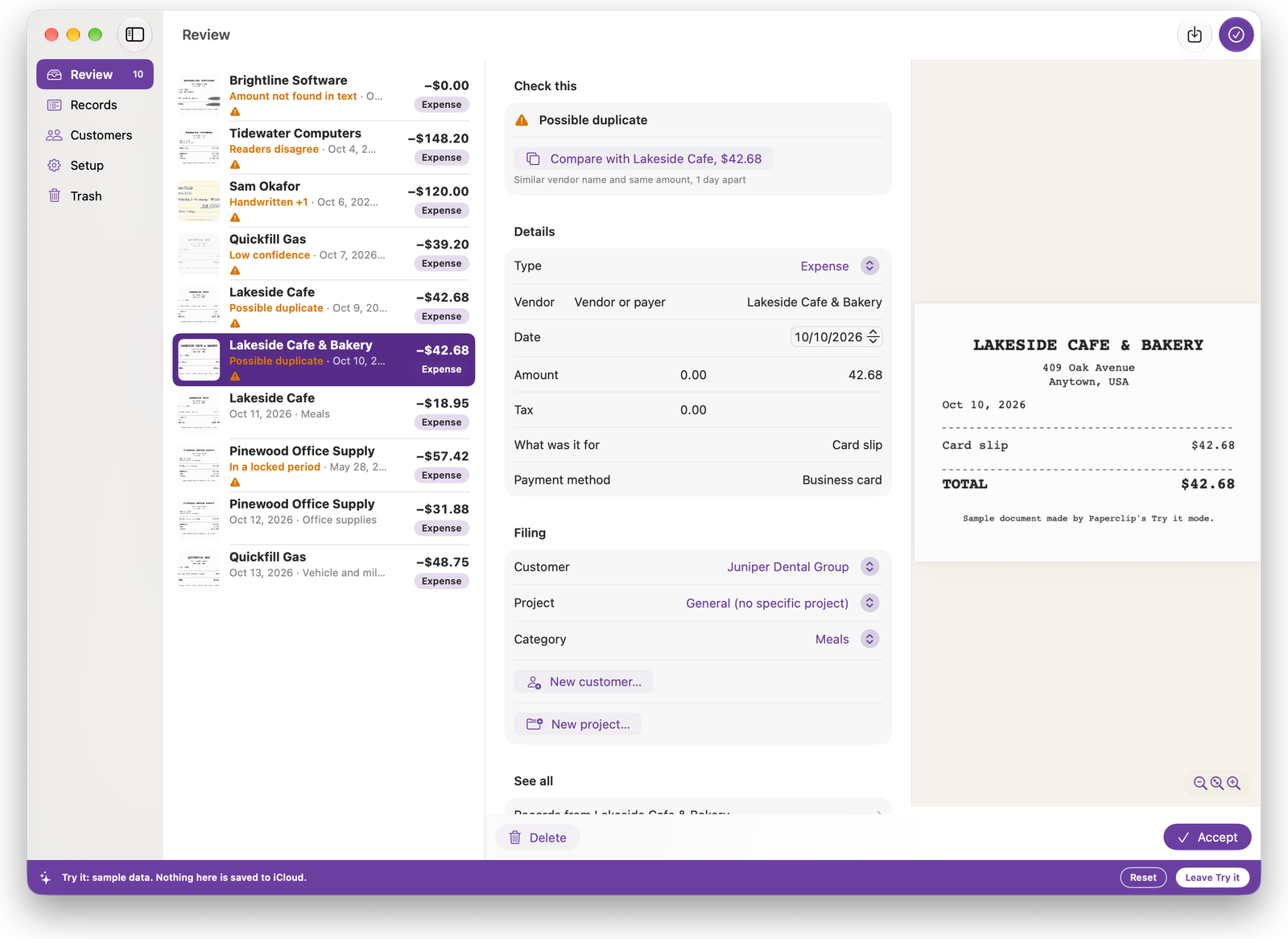
Paperclip reads the vendor, date, amount and type (income, expense or pass-through money) on your device. Everything waits in Review for a quick look, so you confirm, fix what’s off, and accept in bulk.
Duplicates flagged
Possible duplicates are flagged before anything is counted twice. Nothing is deleted automatically.
Customers and projects
Track by customer and project. One customer can have many projects, and each project shows its income, expenses and profit.
Your own categories
Keep more than one business in one place and use your own categories, with an optional tax-line guess for your accountant to confirm. Refunds are handled as negatives, so your totals stay honest.
Export any date range
Pick a month, a quarter or a year and export a spreadsheet with a summary and every transaction, with the original linked to every line. Or export a plain CSV file to open in a spreadsheet, or to bring into the bookkeeping or tax software you use, if it imports transactions from a file.
Lock what you’ve exported
See what’s still unresolved before you export. Lock the records you’ve exported so they don’t change afterward, and see what’s new since your last export.
Capture it where it happens
Catch it in a tap
On your Mac. Press a shortcut, drag a box around anything on your screen, and you’re done. An order confirmation, an invoice, a receipt in an email. You can drag files in, too.
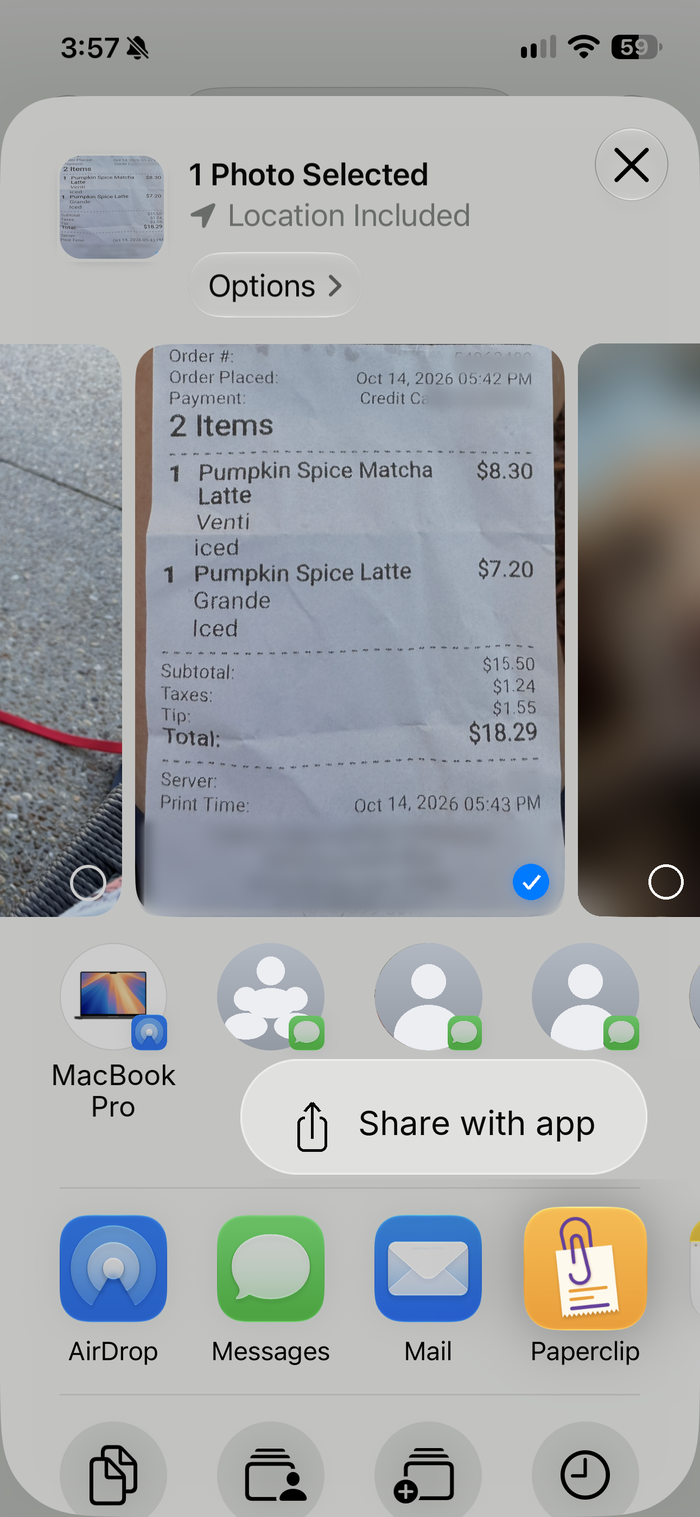
On your iPhone. Scan paper with the camera, or share a photo, PDF or web page from Mail, Photos, Safari or Files.
The original is always kept and linked to its record.
How it works
Capture, check, export
1. Capture it. Use the Mac shortcut, scan with your iPhone camera, or share a file to Paperclip.
2. Check it in Review. Paperclip reads the details. You look it over, fix what’s off, and accept.
3. Export it. Choose a date range and hand your accountant a spreadsheet, or take a CSV into your own books.
Guides
Paperclip Support and FAQ
Contact us
Privacy Policy
Terms of Use
Platform and technical specs
| Platforms | Mac, iPhone and iPad |
| Minimum version | iOS 26, iPadOS 26, macOS 26 |
| Price | Free to try. Your first 15 records are free, then a subscription. |
| Availability | United States |
| Sync | Your own iCloud account. There is no Paperclip server. |
| Apple Intelligence | Recommended, not required. Without it, Paperclip reads your documents with text recognition and you choose the category. |
| Tracking | None. No ads and no analytics. |
| Your account | No account to create. |
Private by design
Read on your device, stored in your iCloud
Receipts are read on your device. Your records sync between your devices through your own iCloud account. There is no Paperclip server and no account to create, so we never hold your records.
What it isn’t
A record-keeping tool, not accounting software
Paperclip doesn’t connect to your bank, send invoices, file your taxes, or give tax, legal or accounting advice, and it isn’t affiliated with any accounting or tax software. Category and tax-line suggestions are guesses for you and your accountant to confirm.
Pricing
Free to try
Your first 15 records are free. After that, a subscription lets you add as many records as you like, with no monthly limits. Your records always stay yours: with or without a subscription you can view, edit and export everything you’ve already added.
Subscriptions renew automatically unless canceled at least 24 hours before the end of the current period. Payment is charged to your Apple Account at confirmation of purchase, and you can manage or cancel in your Account Settings. Read the Privacy Policy and the Terms of Use.
Tax time is an export, not a hunt.
A TwoDogDev app